Soft keys are the numbered buttons on the right side of the board. These can be customized to fit the needs the user.
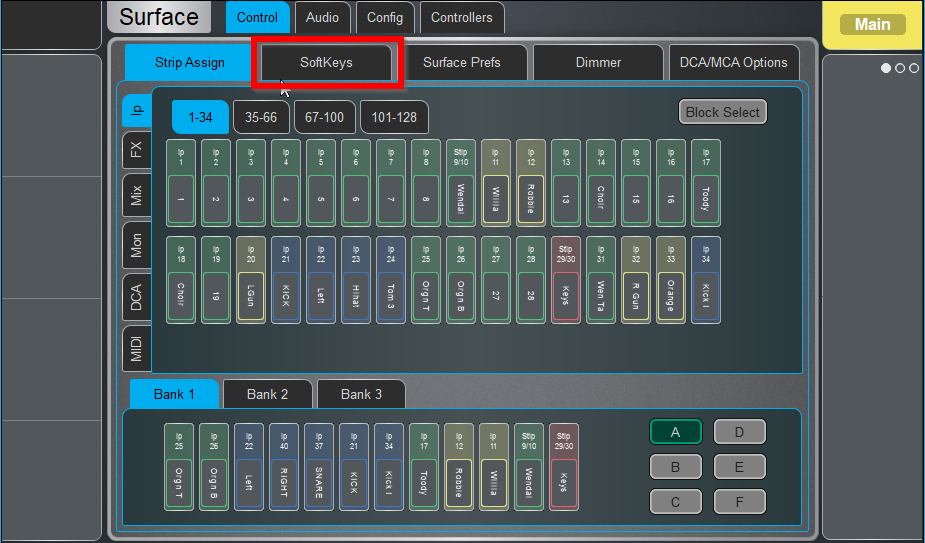
- Press the Surface button

- Press Softkeys
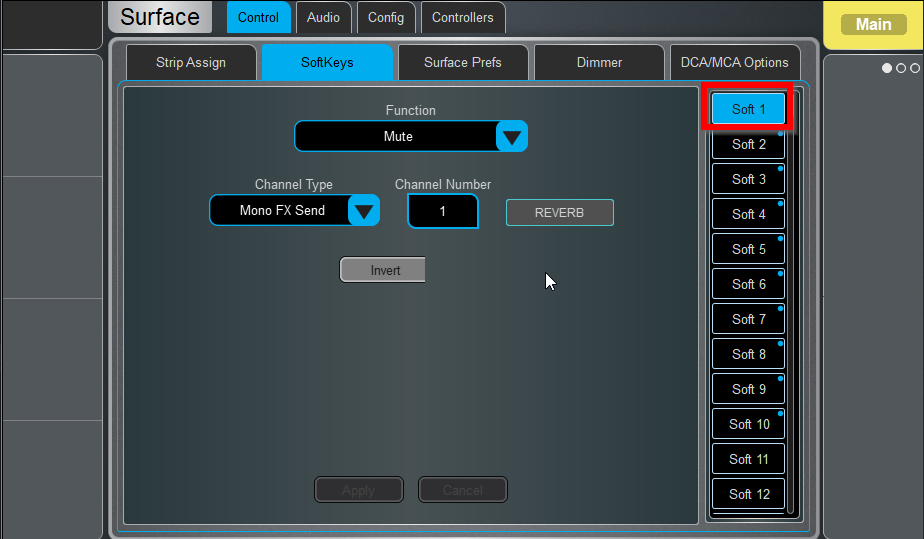
- Click the number of the key you want to change
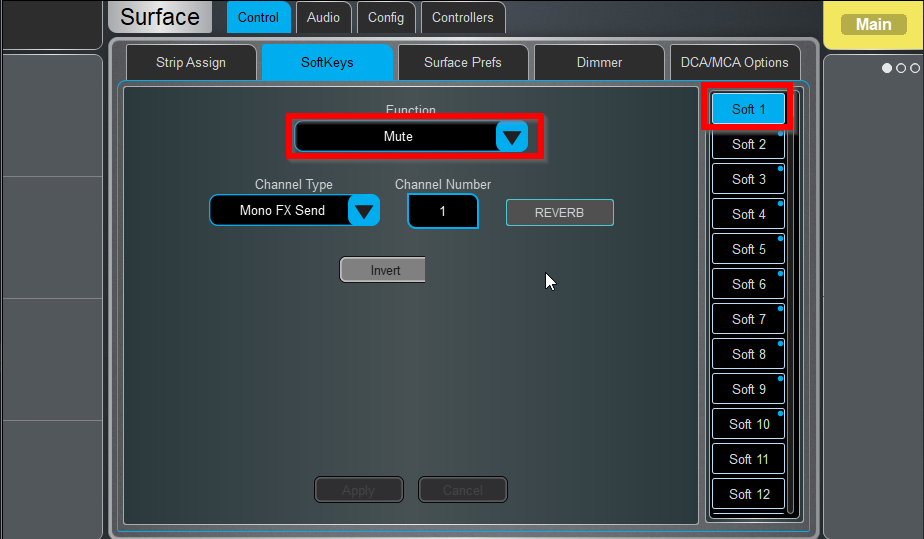
- Click function, and select what you want the button to do.
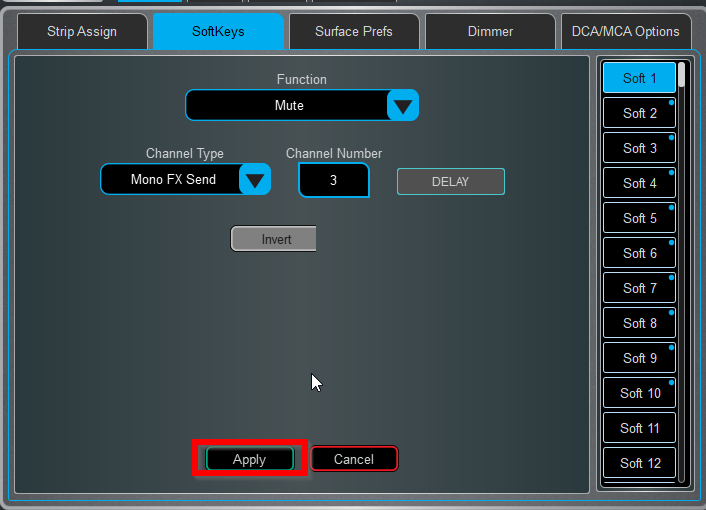
- Hit Apply
Was this article helpful?
That’s Great!
Thank you for your feedback
Sorry! We couldn't be helpful
Thank you for your feedback
Feedback sent
We appreciate your effort and will try to fix the article