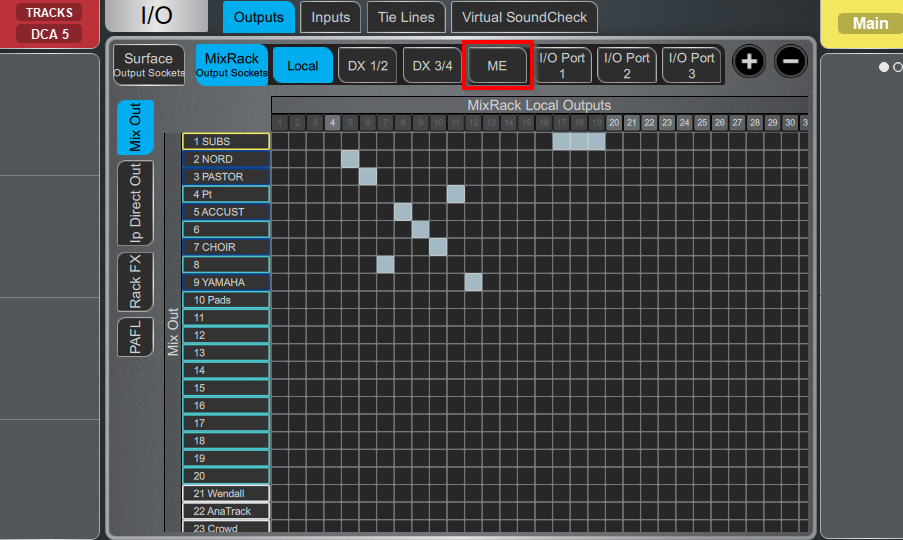
- Select IO from the left tabs

- Under Outputs, select ME
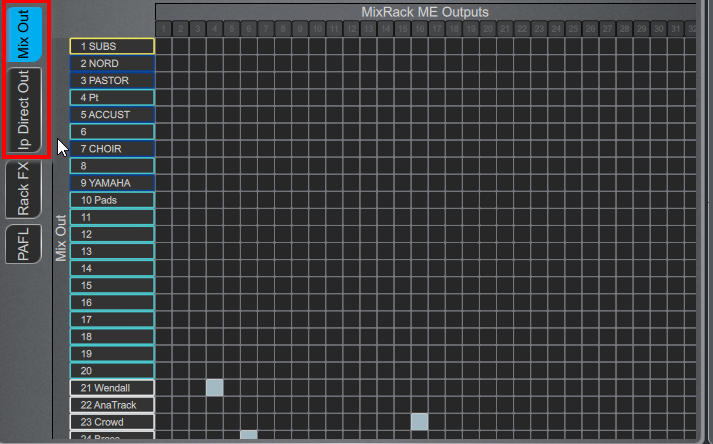
- Depending on the source you are trying to map, select:
- IP Direct Out if you want to map one channel (1 Keyboard)
- Mix Out if you want to map an AUX group (many vocals)
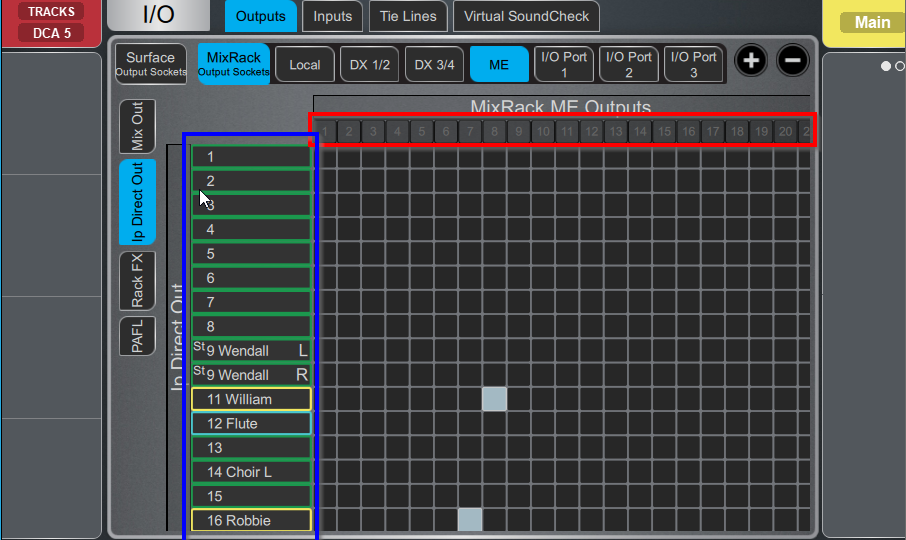
- To route, check the box between the source you want on the left (in Blue) and the ME channel at the top (in Red)
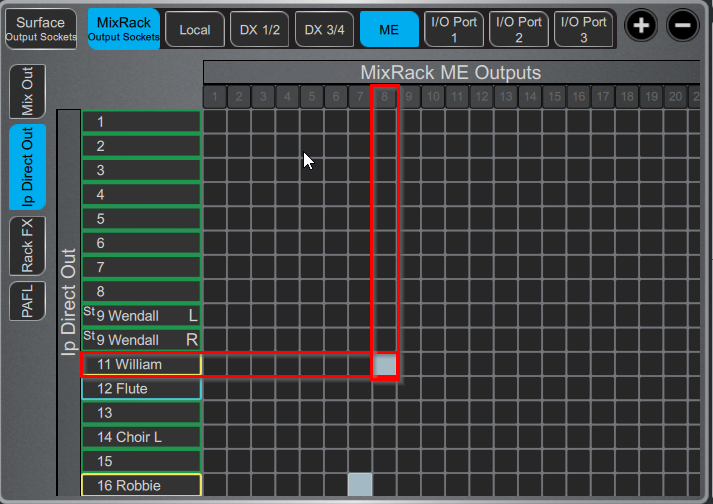
- For example, William's channel is routed to channel 8 on the ME
Was this article helpful?
That’s Great!
Thank you for your feedback
Sorry! We couldn't be helpful
Thank you for your feedback
Feedback sent
We appreciate your effort and will try to fix the article