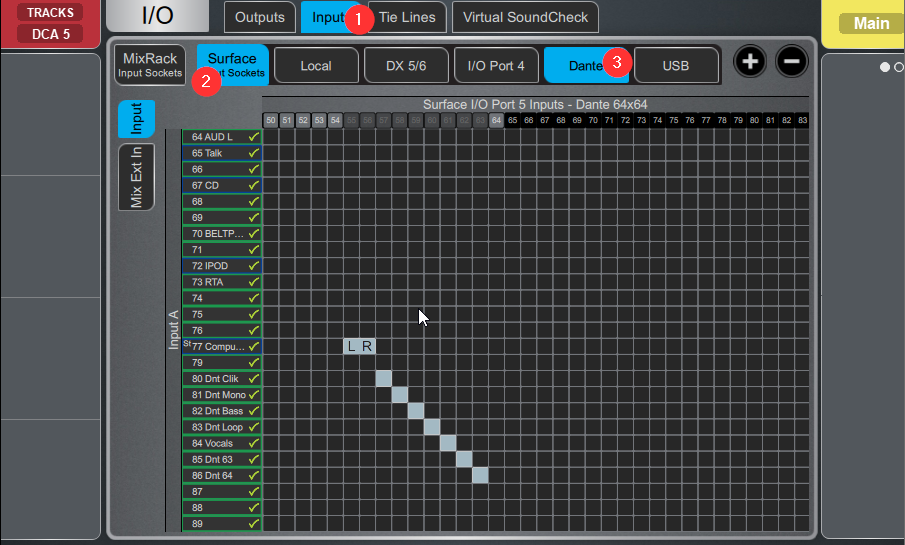
- Select IO from the left tabs

Select Inputs > Surface > Dante
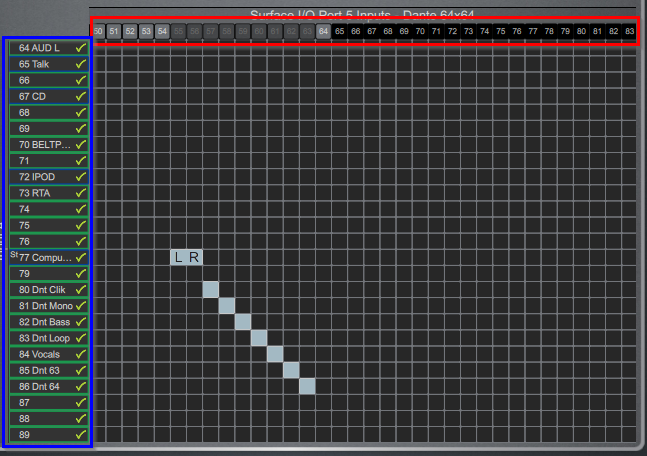
Along the left side (blue) are Dlive Channels, Along the top (Red) are the 64 total DANTE channels.
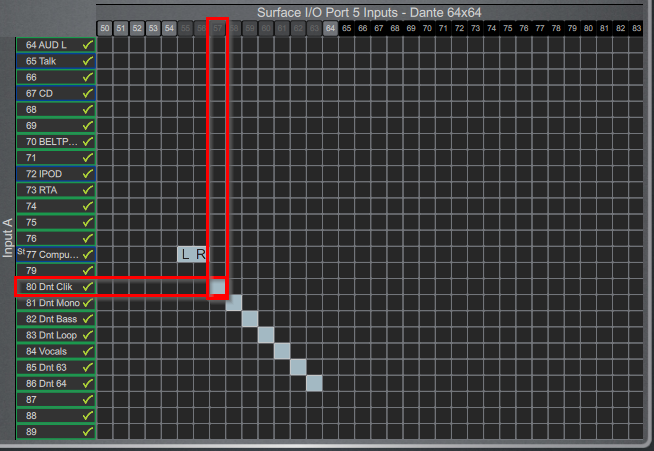
In this example, the Dlive Dnt Clik is connected to Dante channel 57
Was this article helpful?
That’s Great!
Thank you for your feedback
Sorry! We couldn't be helpful
Thank you for your feedback
Feedback sent
We appreciate your effort and will try to fix the article