- Open the Surface menu

- When plugging into the stage, each floor box is mapped to a channel on the board. For example, slot 1 in floor box 1 is mapped to channel 1 on the board. Slot 1 in floor box 3 is mapped to channel 9 on the board.
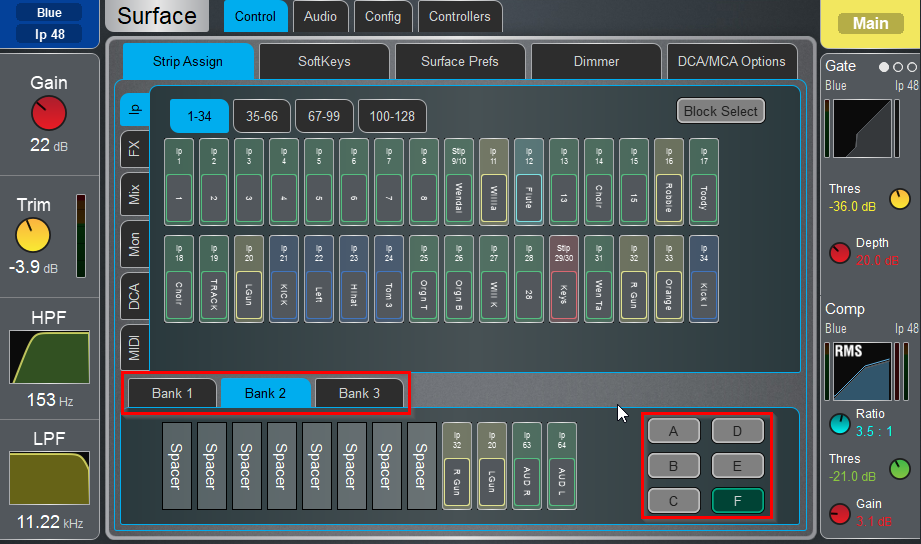
- Select the Bank and Layer
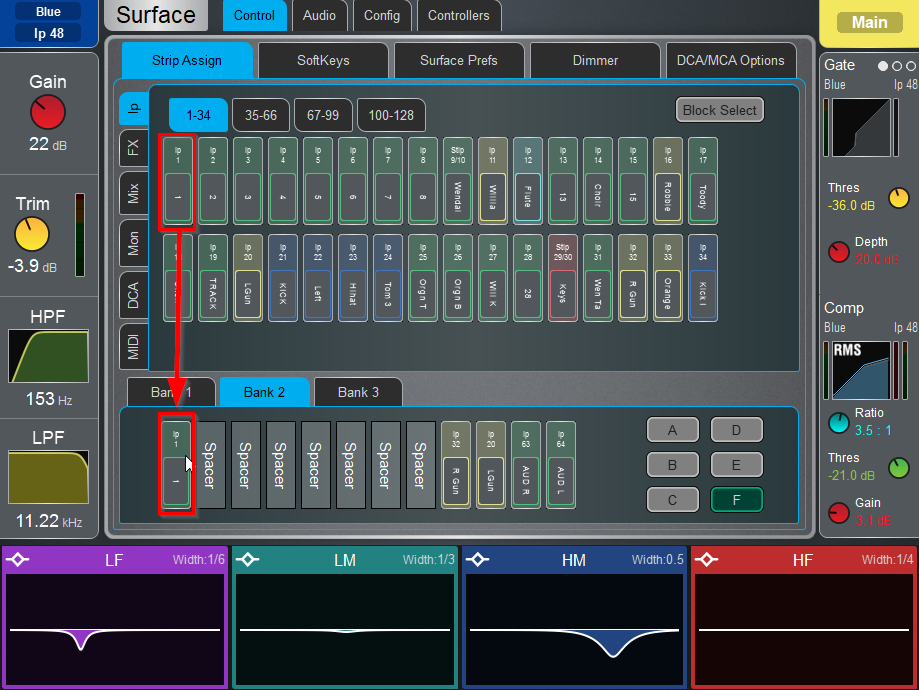
- Drag the channel to the position desired
Was this article helpful?
That’s Great!
Thank you for your feedback
Sorry! We couldn't be helpful
Thank you for your feedback
Feedback sent
We appreciate your effort and will try to fix the article