- Press Sel on the channel you want to change

- On the left screen, select the channel ID in the top left corner
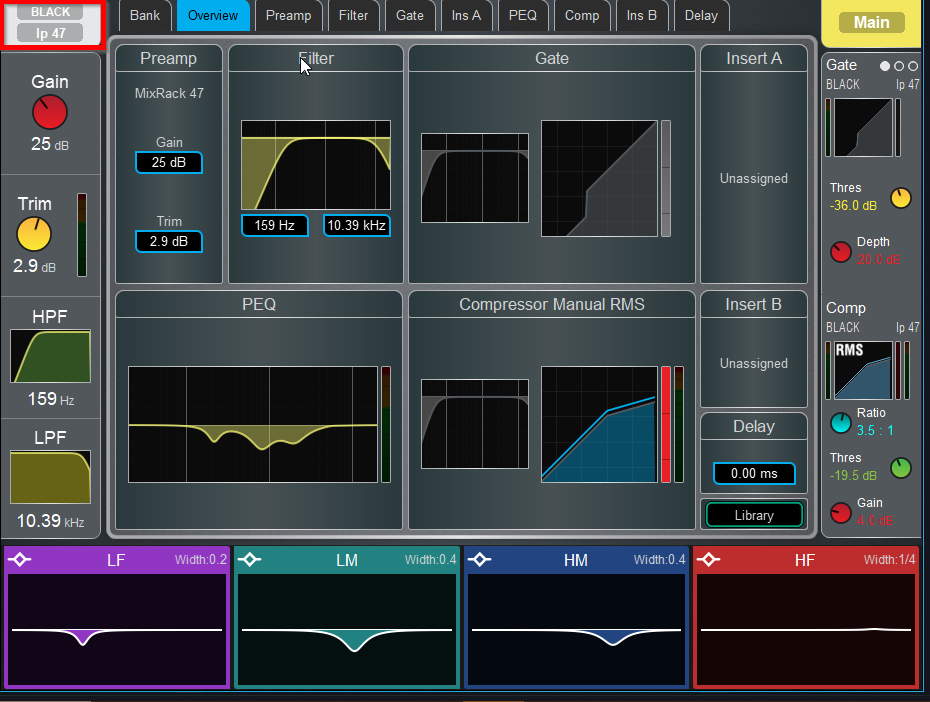
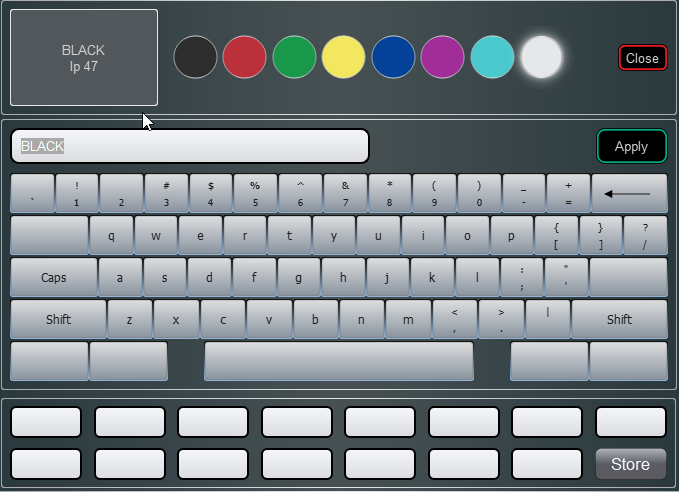
- Choose your Strip color, change the name, and then press Apply
Was this article helpful?
That’s Great!
Thank you for your feedback
Sorry! We couldn't be helpful
Thank you for your feedback
Feedback sent
We appreciate your effort and will try to fix the article