- Hit the Sel button on the channel or output you want to change

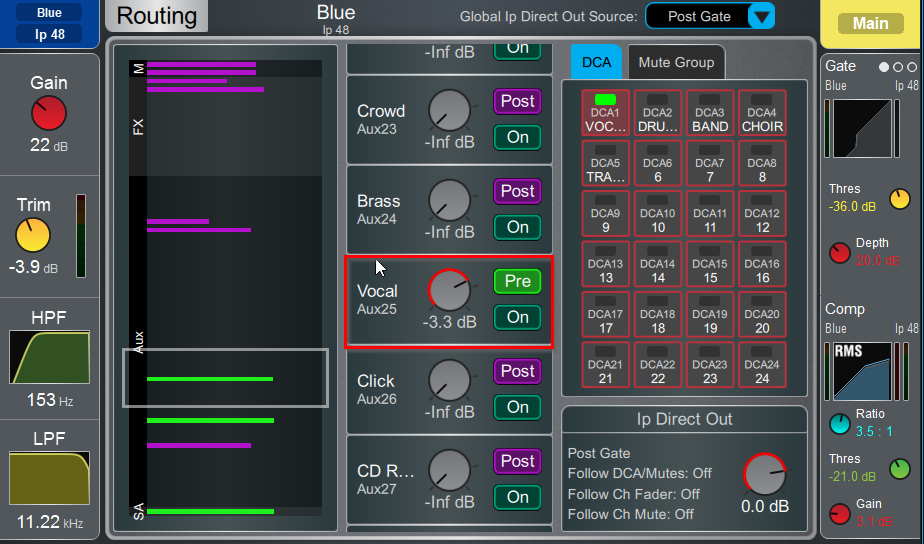
- Press the Routing tab

- Find the output you want to change.
- Pre - Changes in volume in the MAINS don't affect the monitor
- Post - Changes in volume in the MAINS do affect the monitor
- On/Off - If a channel is set to Off, the channel will not play through that monitor, even if the fader is turned up.
Was this article helpful?
That’s Great!
Thank you for your feedback
Sorry! We couldn't be helpful
Thank you for your feedback
Feedback sent
We appreciate your effort and will try to fix the article