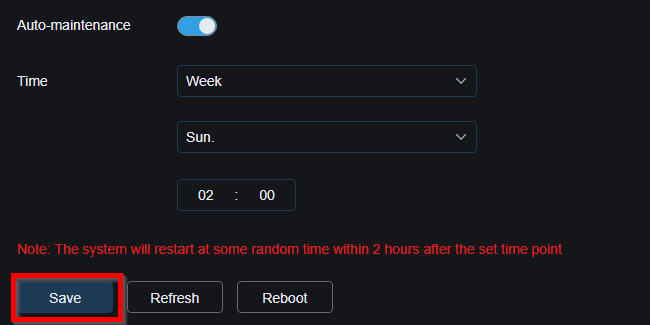
The NVR is set to restart every week in order to keep it running smoothly. It restarts randomly with in two hours of the time set. Currently, the NVR is set to restart every Sunday Morning at 2:00 AM.
- On the NVR or the Camera Computer App, open the settings menu

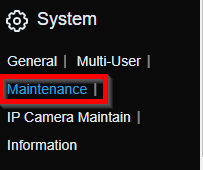
- Under Settings, go to System > Maintenance
- Look for Auto Reboot

- After making changes, press Save
Was this article helpful?
That’s Great!
Thank you for your feedback
Sorry! We couldn't be helpful
Thank you for your feedback
Feedback sent
We appreciate your effort and will try to fix the article