- Login to the NVR as the admin user
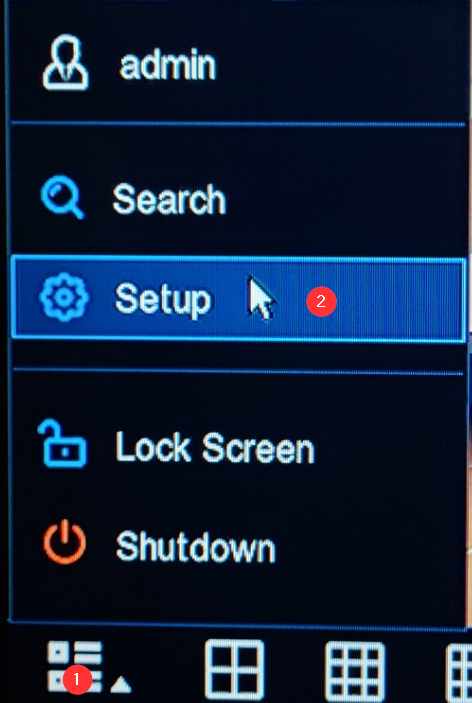
- Click the Menu icon and enter the Settings menu
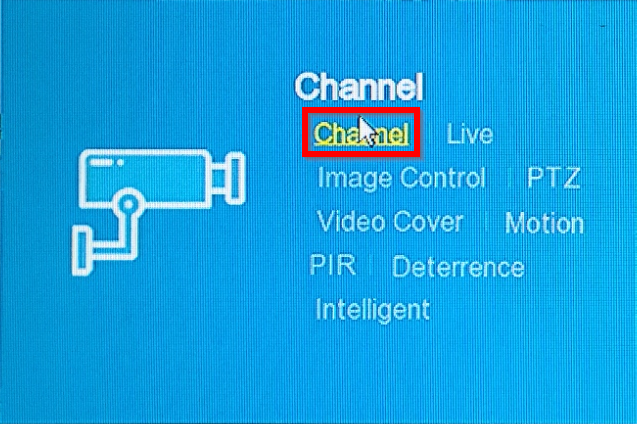
- Under the Channel section, click Channel
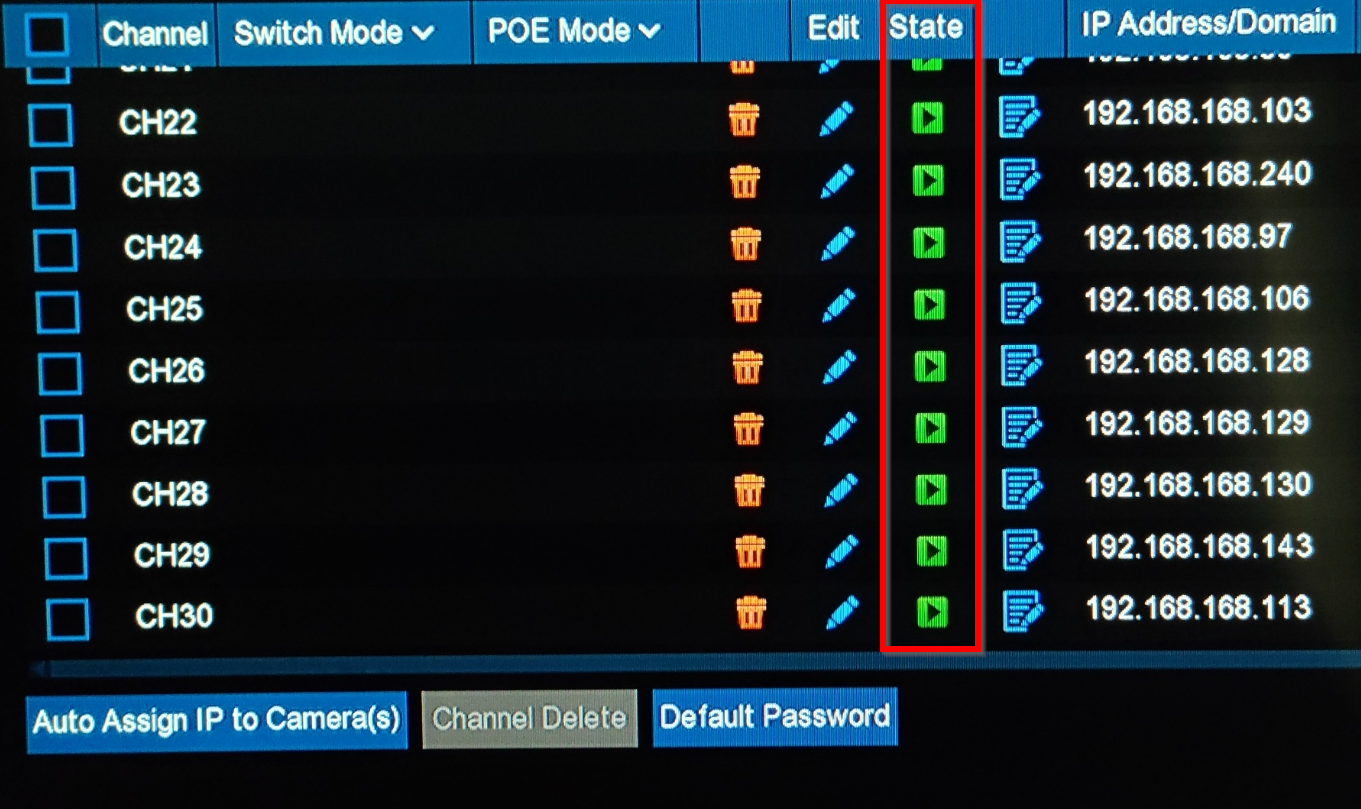
- To find the camera that is out, look at the play buttons. Those in green are online and functioning. If one appears in grey, it is offline and needs to be reset.
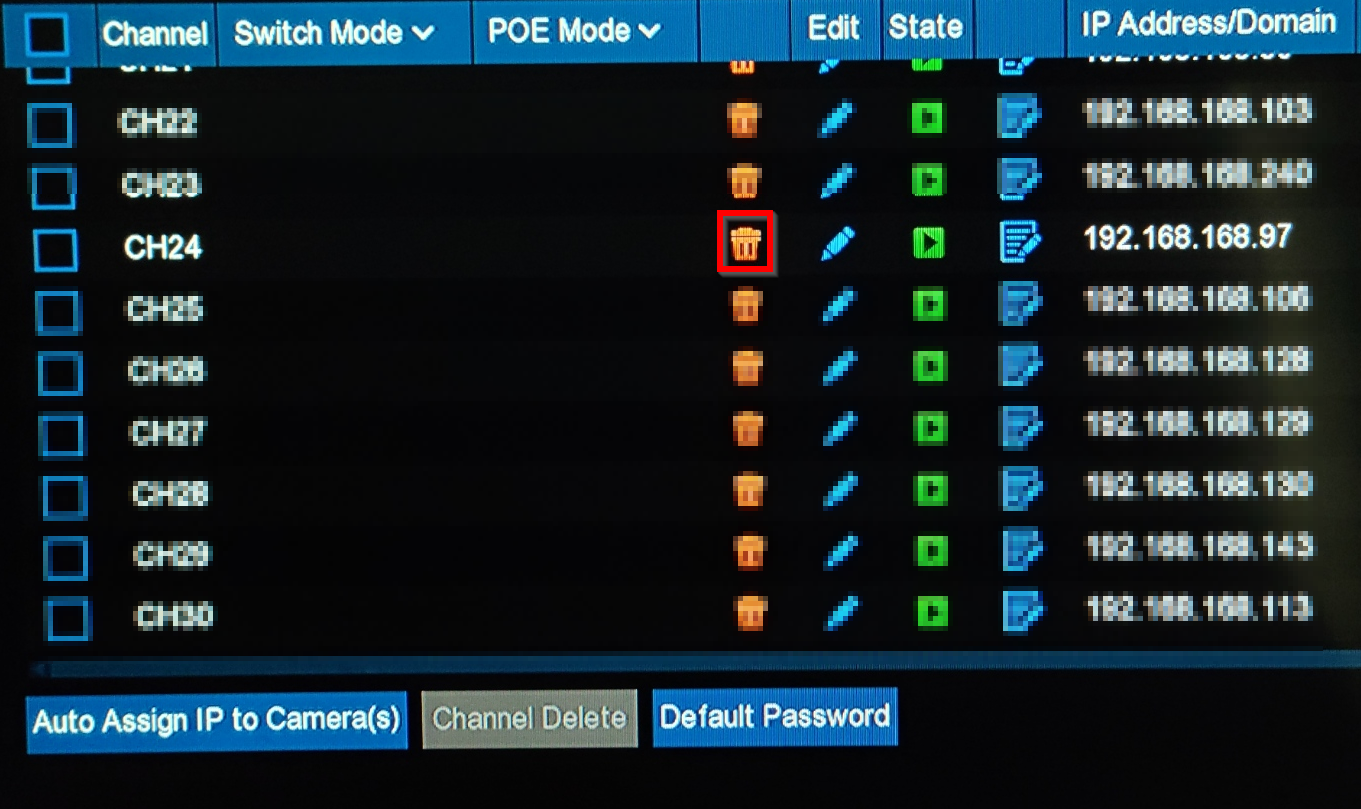
- Click the Trashcan next to the camera you want to delete.
- Once the camera has been removed, Click Search
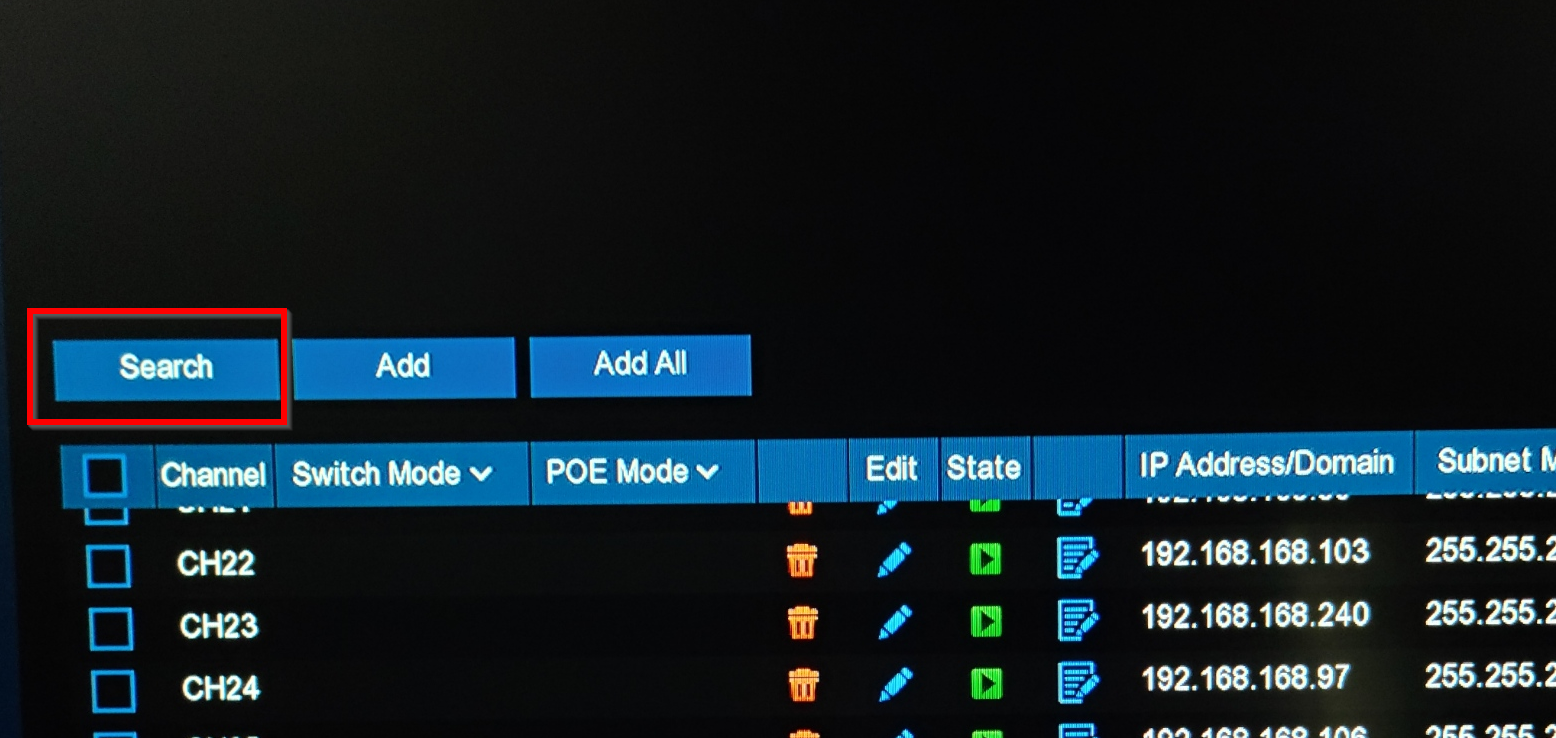
- Once the camera is found, Press Add All
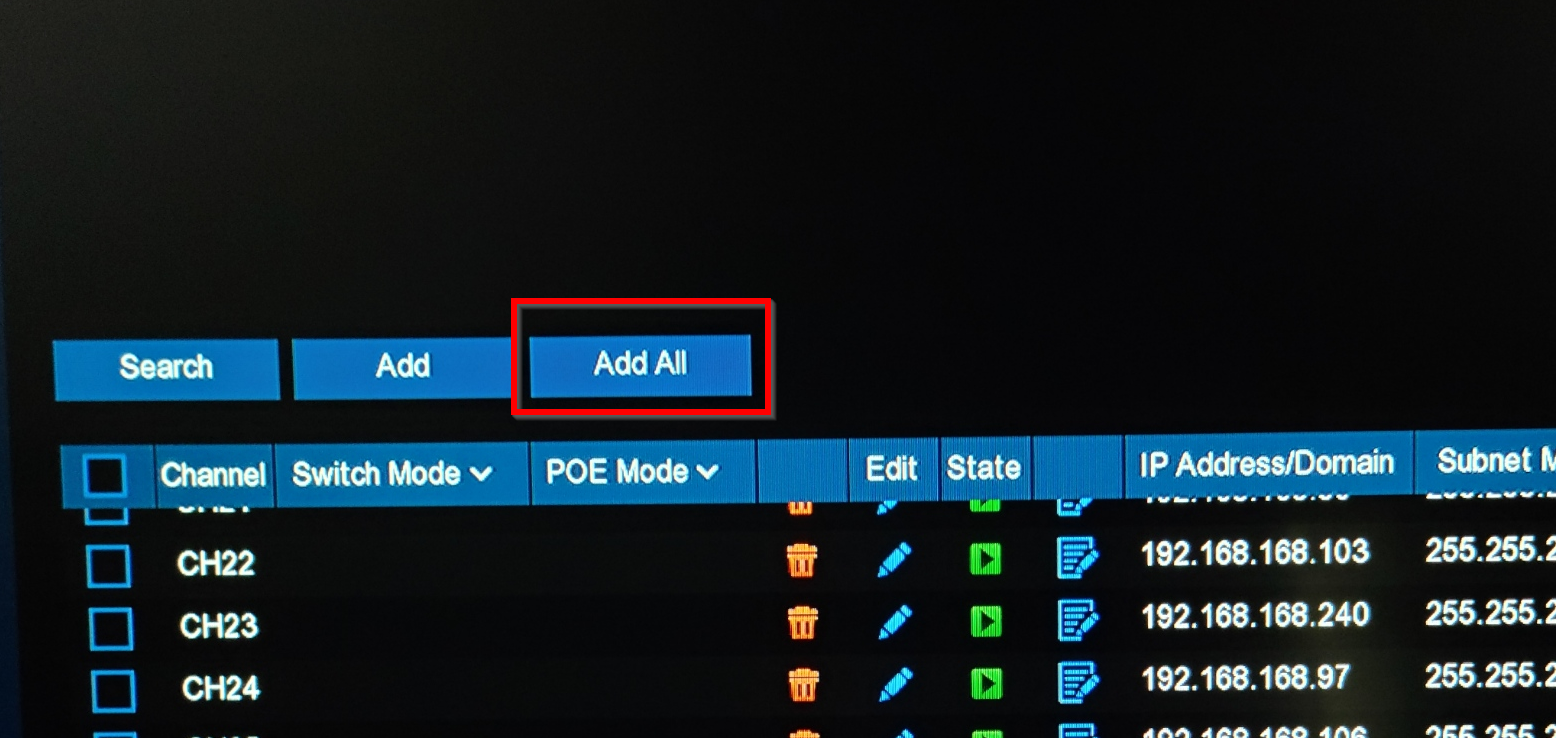
- Confirm the default settings on the popup menu. This will add the camera to system, as well as set it to record footage
Was this article helpful?
That’s Great!
Thank you for your feedback
Sorry! We couldn't be helpful
Thank you for your feedback
Feedback sent
We appreciate your effort and will try to fix the article