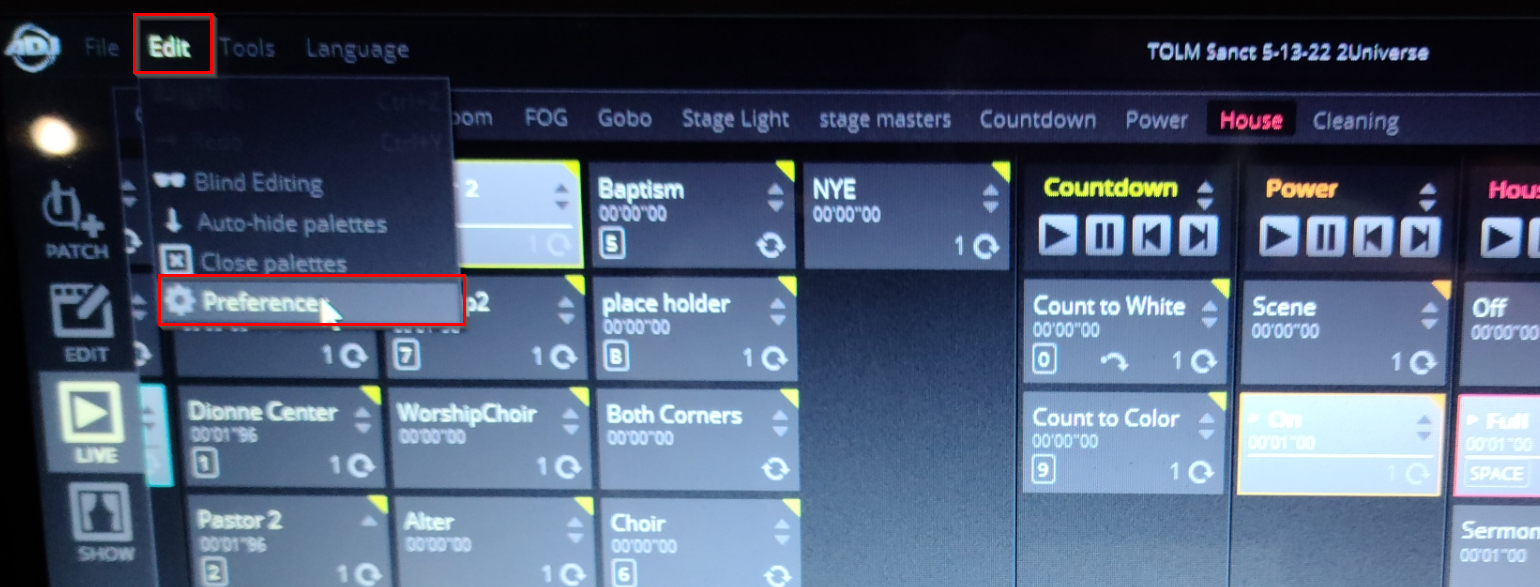
- Go to Edit > Preferences
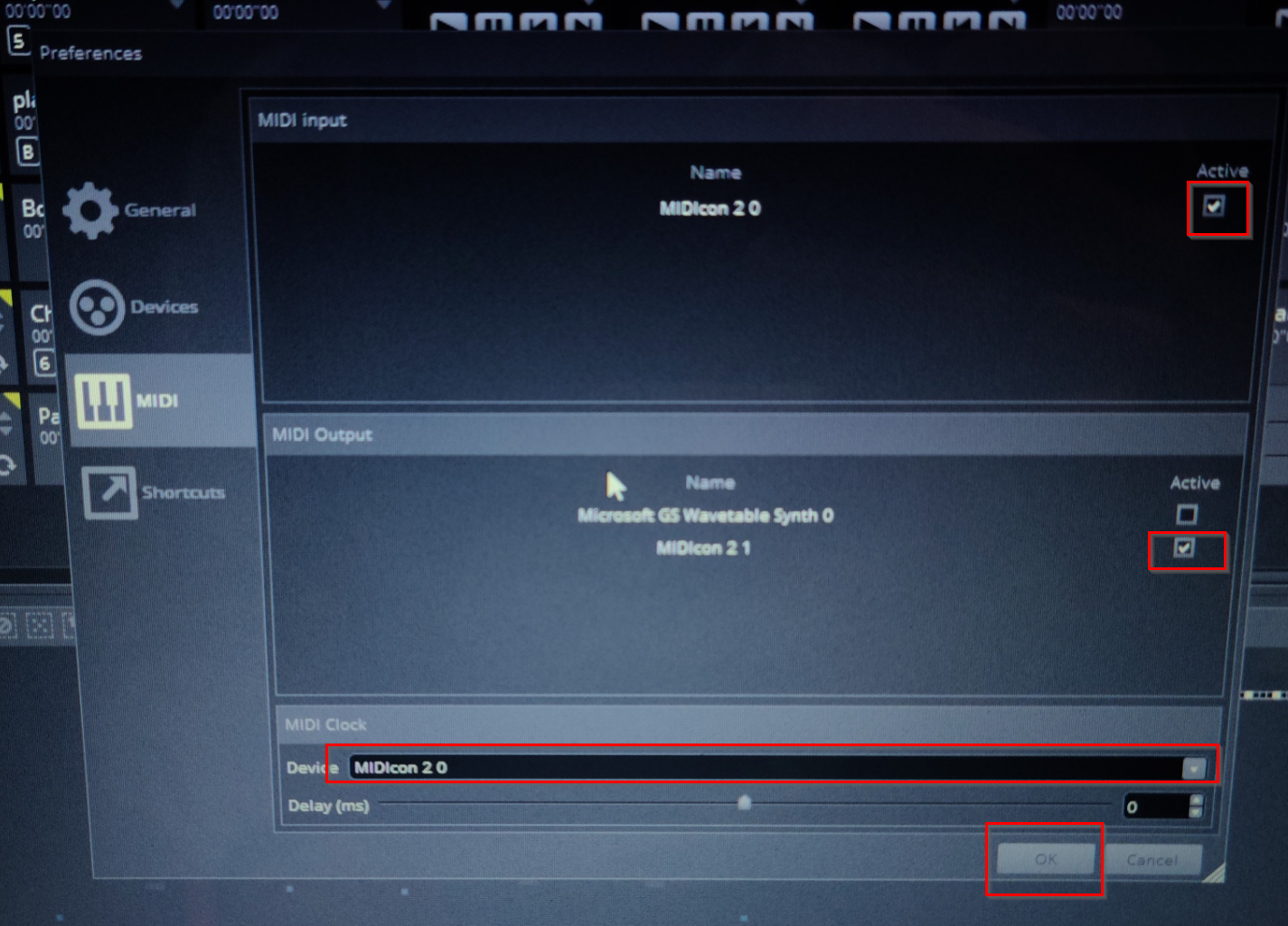
- Go to Midi
- Ensure that MIDIcon 2.0 has its checkbox checked under both Midi input and Midi output. Also ensure that the Midi Clock is set to the Midicon 2.0. Press OK
Was this article helpful?
That’s Great!
Thank you for your feedback
Sorry! We couldn't be helpful
Thank you for your feedback
Feedback sent
We appreciate your effort and will try to fix the article