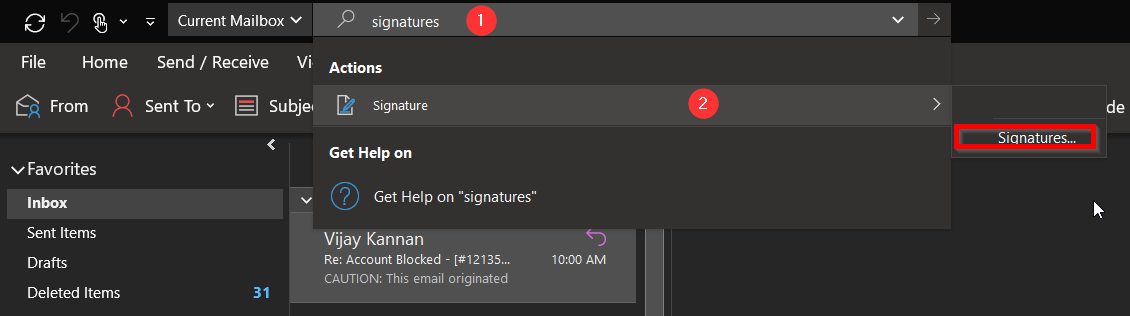
- In the search bar, search for Signature. Under Signatures, click Signatures...
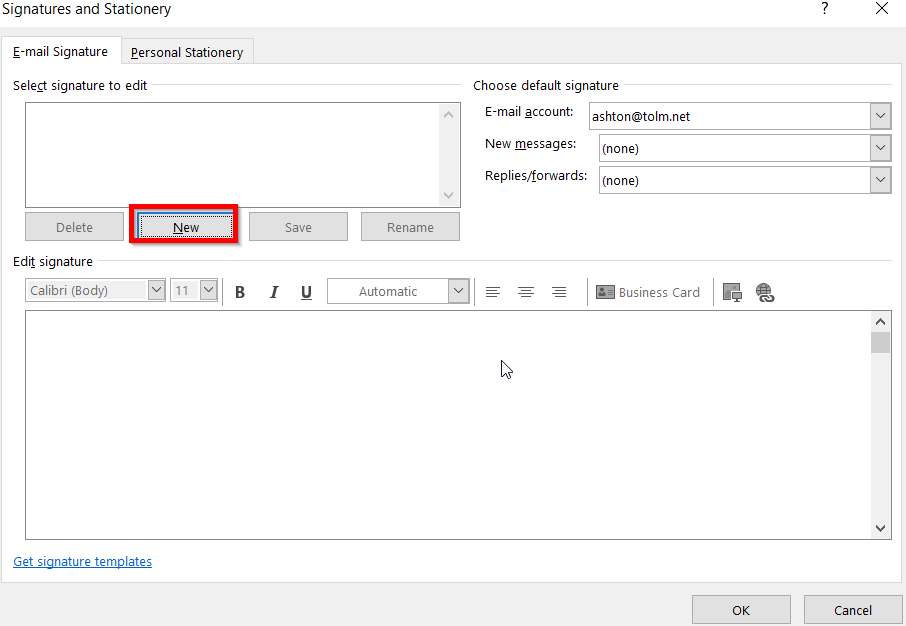
- Select New
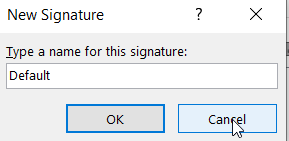
- Enter a name for the signature. Press OK
- Create your email signature. When done, press Save
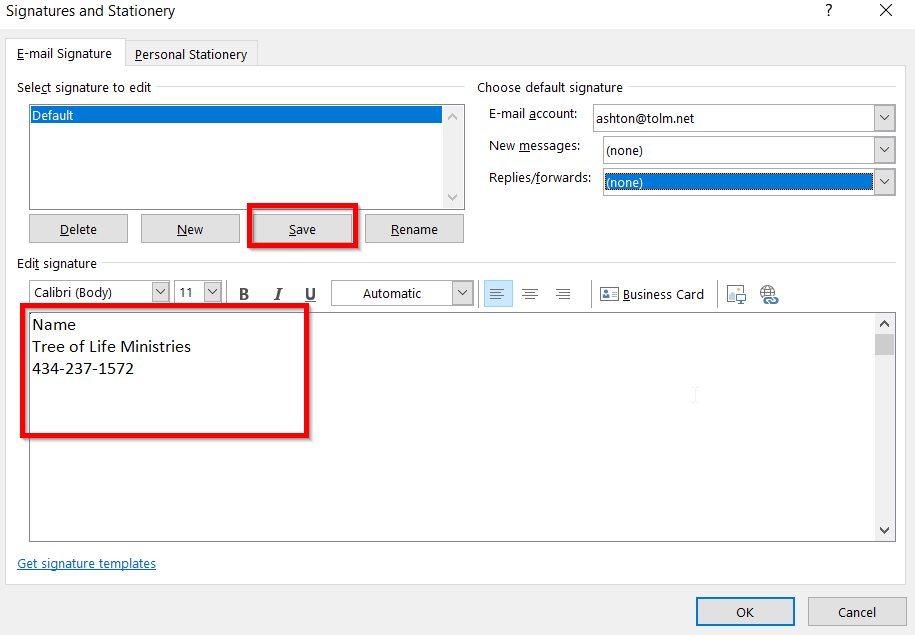
- Change the new messages and replies/forwards dropdowns to be your new signature.
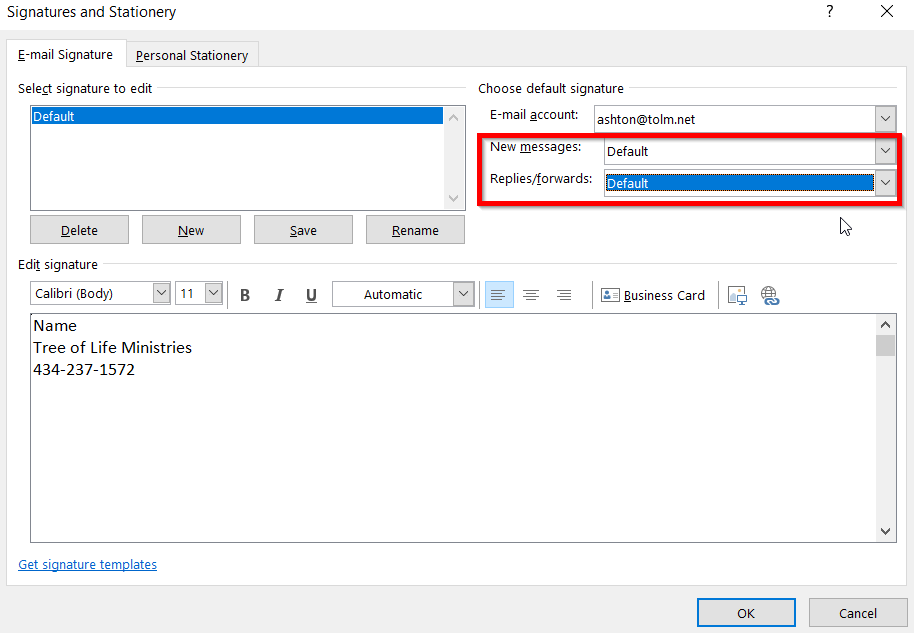
- Press OK
Was this article helpful?
That’s Great!
Thank you for your feedback
Sorry! We couldn't be helpful
Thank you for your feedback
Feedback sent
We appreciate your effort and will try to fix the article