- .Download and install the Easy Smart Configuration Utility from TP-Link
- Plug into a available port on any switch, but not an ME-1 port
- Log into the switch you want to access. Login is the same as the admin on DLive
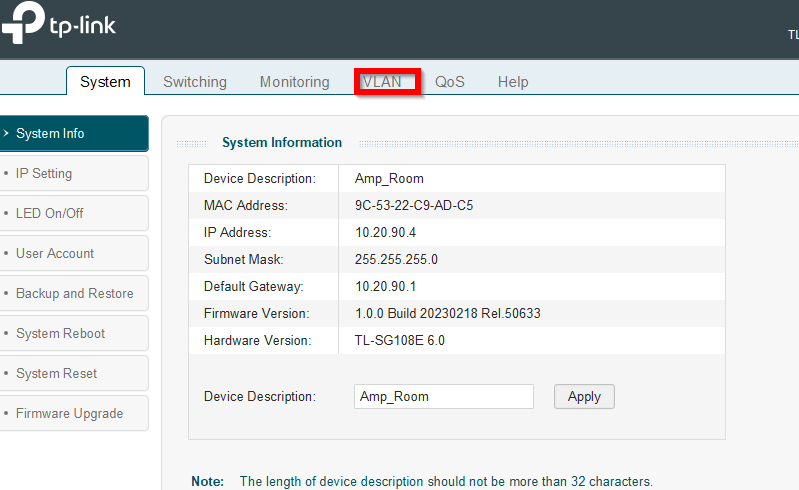
- Go to the VLAN tab
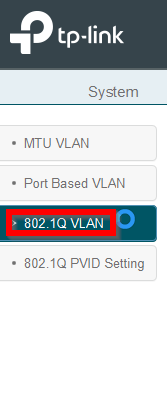
- Go into the 802.1Q Vlan tab
- Select the Vlan you want to edit
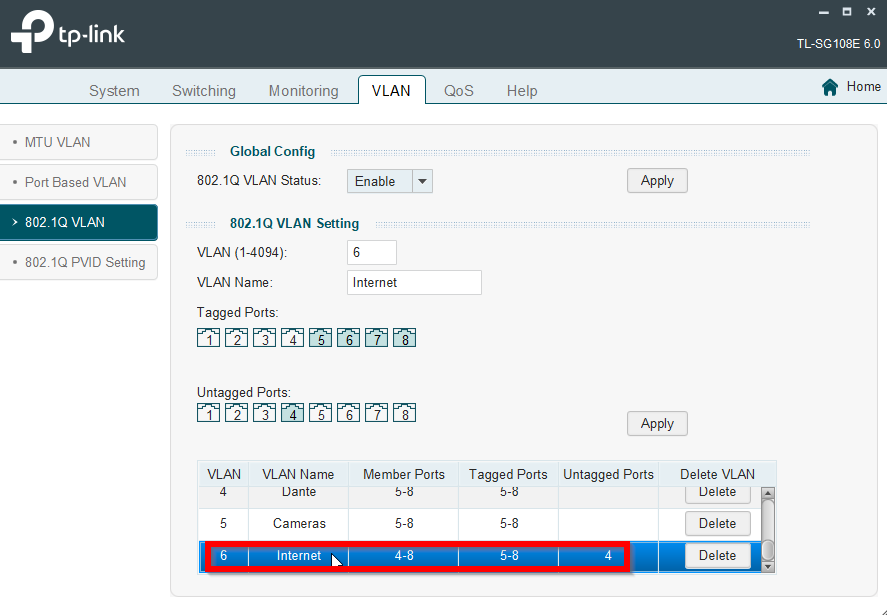
- Click the port you want to add/remove. Tagged ports are Trunks, untagged are access ports. Each port should be assigned to one untagged vlan
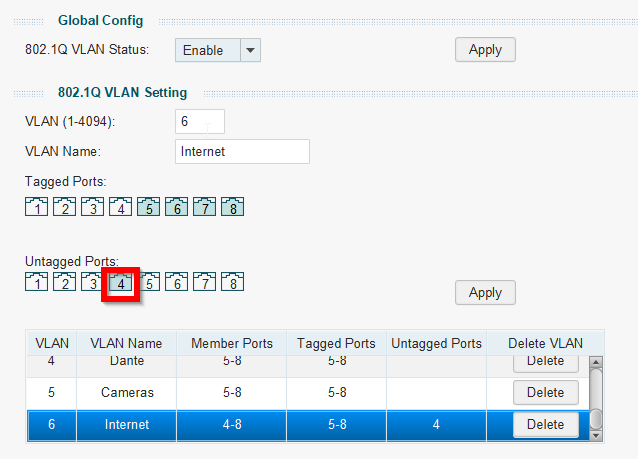
- Hit Apply
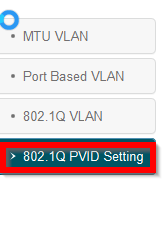
- Go to 802.1Q PVID Settings
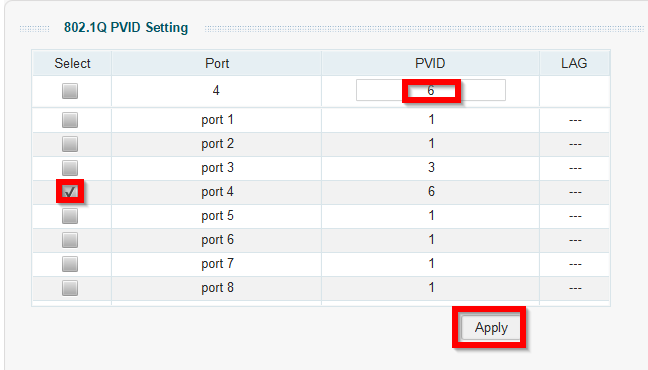
- Select the port you are changing. Then enter the Vlan number of the port under PVID. Then press apply
- You can find the Vlan list here: VLAN List article
- You can find the Vlan list here: VLAN List article
Was this article helpful?
That’s Great!
Thank you for your feedback
Sorry! We couldn't be helpful
Thank you for your feedback
Feedback sent
We appreciate your effort and will try to fix the article