When you see this error icon, do the following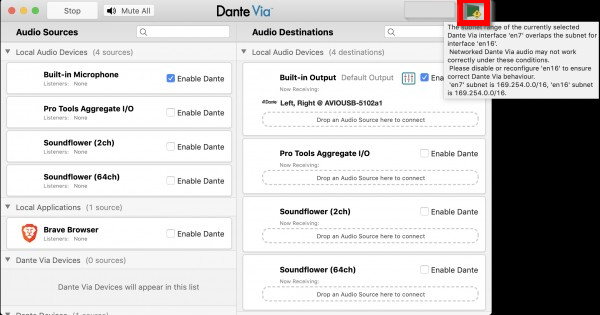
- Unplug the Dante Ethernet line from the back of the Mac
- Start and Stop Dante Via
- Restart the Mac
Was this article helpful?
That’s Great!
Thank you for your feedback
Sorry! We couldn't be helpful
Thank you for your feedback
Feedback sent
We appreciate your effort and will try to fix the article